
Key Takeaways
A patient check-in kiosk can make arrival simpler, but its value depends on how well it fits your clinic’s workflows and patients.
- Map your existing check-in process before choosing a kiosk.
- Confirm how appointment details and patient updates will reach your existing systems.
- Assess accessibility, privacy, physical placement, and staff support together.
- Compare the full cost of hardware, software, implementation, and ongoing service.
- Start with a measured rollout and adjust it using patient and staff feedback.
How patient check-in kiosks work
A patient check-in kiosk gives people a digital way to report their arrival and complete selected administrative steps. What a patient can do varies by clinic and system, so it is worth defining the workflow before you compare equipment. Your existing practice management and clinical systems also shape what information can be exchanged. For a broader overview, see this guide to patient check-in kiosk workflows.
The steps patients typically complete at a kiosk
A typical visit may begin with a patient finding their appointment, confirming their identity, and indicating that they have arrived. Depending on the clinic’s process, they may also be asked to review contact information or complete a form. Keep the steps short and relevant to the visit; a kiosk should not make a simple arrival feel like a long registration exercise. A GP clinic, for example, may direct patients to pregnancy and preconception guidance as part of its patient information, while keeping that content distinct from the check-in itself.
How kiosks connect with practice management and clinical systems
A kiosk is only as useful as the information flow behind it. Before selecting one, find out which appointment and patient details it can read or update, how those changes are transferred, and what staff need to do if a connection fails. Do not assume that a system integrates simply because a vendor says it can connect; ask for the workflow to be demonstrated using your own appointment types and systems. If you are considering a QR-code route to a digital check-in page, clarify how any codes are created and maintained; Xcan.it describes tools for managing dynamic QR codes, which is a separate consideration from kiosk integration.
What happens when a patient needs help or cannot use the kiosk
Self-service should be an option, not a barrier to care. Some patients will prefer to speak with reception, need help reading the screen, or arrive with a more complicated appointment. Decide how staff will notice a request for assistance and what the fallback process is if the kiosk is unavailable. A clear path to a person makes the technology easier to trust, particularly during the early days of a rollout.
Benefits for Australian healthcare providers
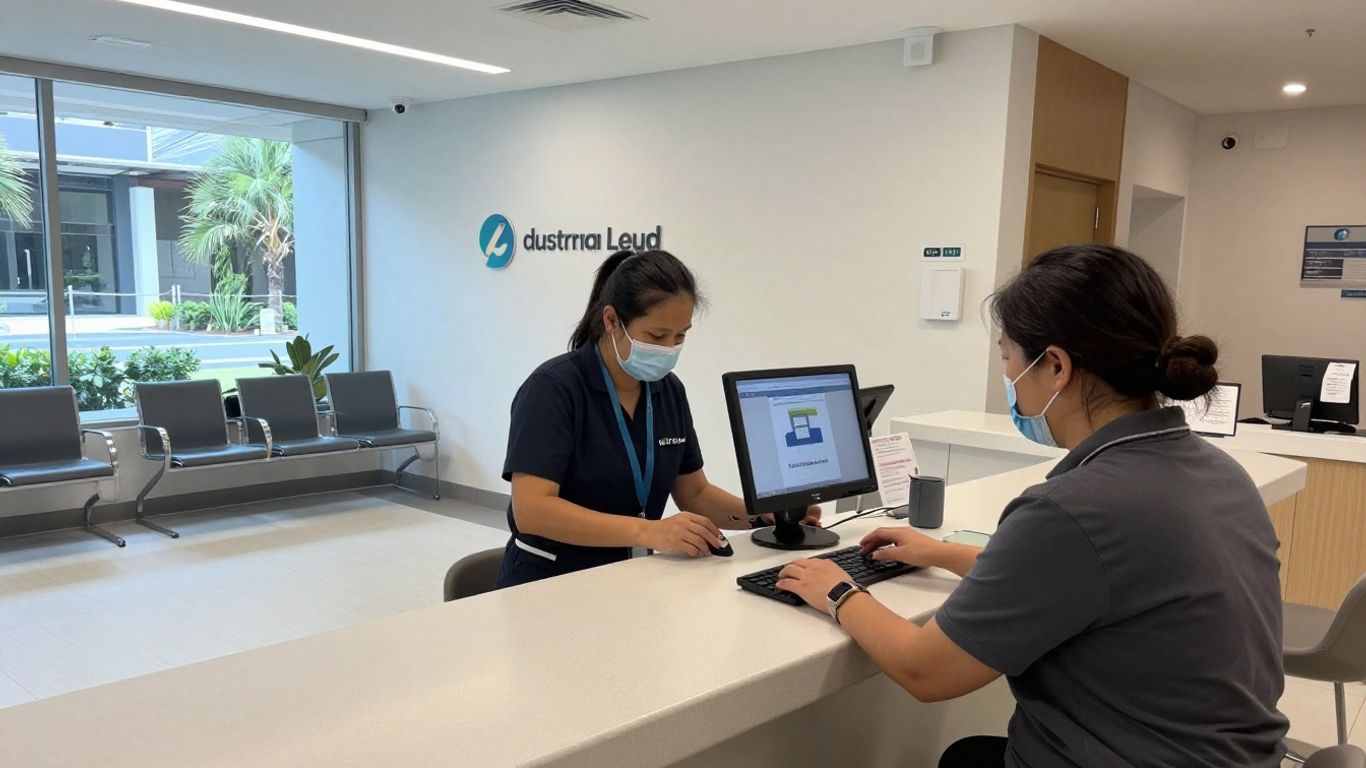
For an Australian clinic, the practical case for a kiosk is less about replacing reception and more about arranging work sensibly. A simple arrival step may be handled digitally while staff remain available for questions, exceptions, and patient support. Results depend on the clinic’s design and the way patients use the option. Toolii is an Australian technology company developing intelligent automation solutions for healthcare organisations, with a stated purpose of reducing repetitive administrative work.
Reducing reception bottlenecks during busy periods
When several patients arrive close together, a queue can form even if each check-in takes only a short time. A kiosk may offer another way to complete selected arrival tasks, provided that it is easy to find and the workflow is straightforward. It will not remove every queue: appointments that need discussion, identity checks, or staff judgment still require human attention. Treat the kiosk as one part of reception capacity rather than a promise of shorter waits in every circumstance.
Giving staff more time for patient support
Reception teams often balance arrivals with calls, questions, and administrative follow-up. Shifting a clearly defined task to self-service may give staff more room to handle those interactions, though the benefit depends on how much help patients need at the kiosk. As you plan, look at the work staff would actually stop doing, and the work they would take on instead. Toolii’s stated focus on reducing repetitive administration aligns with that broad operational aim, but any kiosk-specific effect should be assessed in your own setting.
Improving the consistency of arrival and contact details
A consistent sequence of prompts can help a clinic collect the same information in the same way. That does not guarantee that details are current or accurate; patients still need an understandable opportunity to review what is shown, and staff need a process for resolving mismatches. Use the kiosk to support a defined data-quality process rather than treating it as a substitute for one. This distinction matters when you decide which information patients should confirm at each visit.
Features to assess before choosing a kiosk
The right shortlist starts with the tasks your clinic needs the kiosk to support, not with a long list of hardware options. Compare how each system handles your appointment types, patient groups, and existing processes. It is equally useful to consider how someone will use the kiosk on a busy morning, not just how it looks in a demonstration. A patient check in kiosk Australia search can surface many possibilities, but your clinic’s requirements should do the narrowing.
Check-in workflows, forms, and appointment types
Write down the steps patients currently complete and identify which ones are suitable for self-service. Ask vendors how forms and prompts can be configured, and whether different appointment types can follow different paths. A routine follow-up may need a short arrival confirmation, while a first appointment could involve additional information. In the demonstration, make sure you see the real sequence for each relevant visit type rather than a generic sample flow.
Accessibility, language options, and ease of use
A kiosk should be understandable to people with different levels of digital confidence, language needs, and physical access requirements. Ask patients and staff to try a sample workflow, then observe where they pause or ask for help. When reviewing accessibility, consider a small set of practical checks:
- Is the screen readable at the kiosk’s planned height and distance?
- Can patients complete the main task without navigating unnecessary steps?
- Are language options available for the patients your clinic serves?
- Is there a clear way to request help or switch to staff-assisted check-in?
Use those observations to refine the workflow before launch. If patients repeatedly need assistance with one prompt, simplifying it may be more effective than adding another instruction screen.
Hardware, placement, and infection-control considerations
Hardware choices affect how easily patients can approach, use, and leave the kiosk. Check available space, power and network access, visibility from reception, and whether the device could obstruct movement. Ask who is responsible for cleaning the screen and surrounding surfaces, and follow your clinic’s own infection-control procedures. A well-placed device supports a calm arrival; one tucked away or positioned awkwardly can create confusion even when its software is suitable.
Privacy, security, and Australian requirements
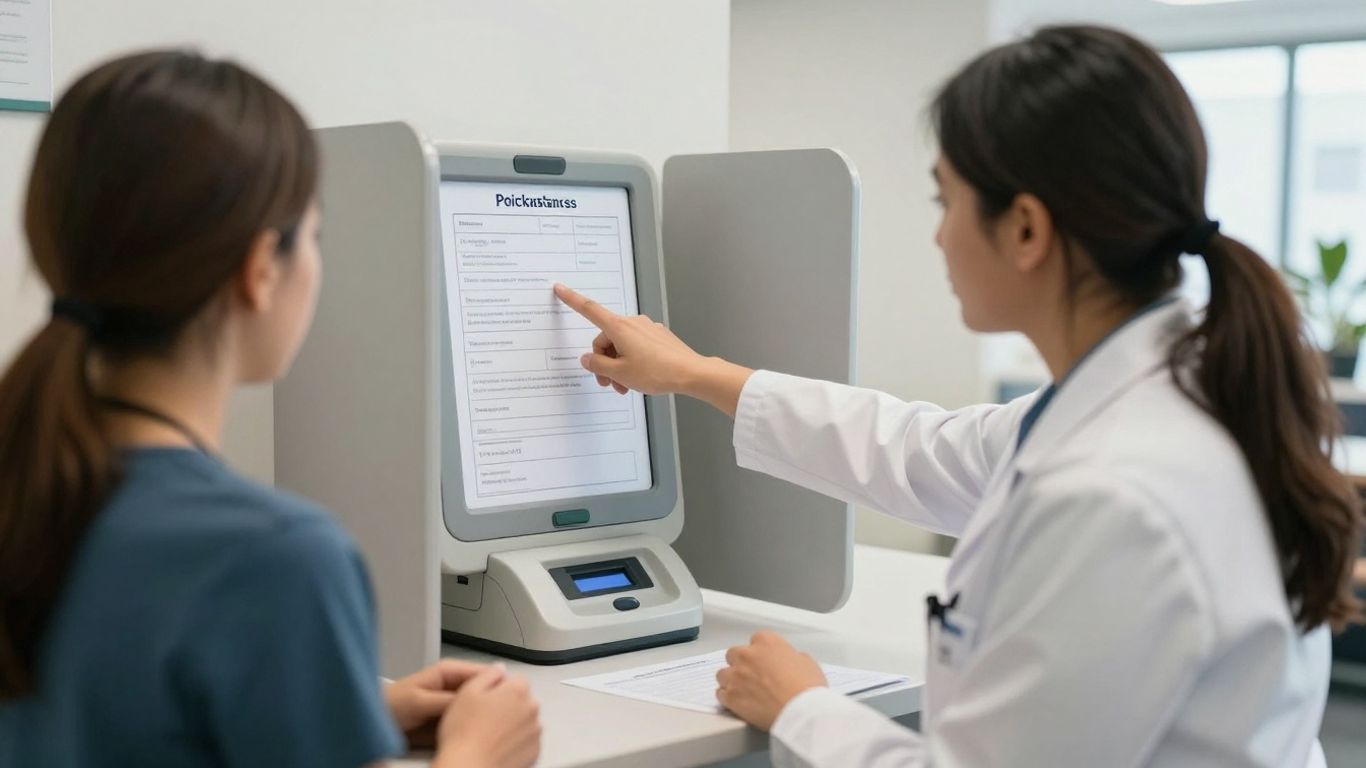
A kiosk may handle personal or health information, so privacy decisions belong in the selection process from the start. Identify what information the workflow needs, who can see it, where it goes, and how your clinic will explain the process to patients. Requirements can vary with your organization and circumstances, so seek appropriate privacy and legal advice rather than relying on a vendor’s general assurances. Toolii describes its work as secure, practical healthcare automation; you should still assess the specific arrangements for any system you consider.
Handling personal and health information responsibly
Collect only what is needed for the check-in task, and make the purpose of each prompt clear. Consider whether information appears on screen long enough to be seen by someone nearby, and what happens when a patient walks away before finishing. Your clinic should also establish how staff handle corrections and requests for help without exposing details to others in the waiting area. These are workflow questions as much as technology questions.
Reviewing access controls, data storage, and vendor practices
Ask vendors to explain how staff access is managed, where information is stored, how information moves between systems, and what processes apply when something goes wrong. Request documentation that helps your organization evaluate these practices, including relevant subcontractors and support arrangements. The answers should be specific to the proposed service, not just a general description of security features. Record open questions and have the appropriate people in your organization review them before committing.
Planning for consent, privacy notices, and assisted check-in
Patients should be able to understand what they are being asked to do and how the information they provide will be used. Review the wording on-screen and consider whether it is readable in the time available at reception. Some patients may need staff assistance or a non-digital option, so plan for those routes before launch. A respectful process makes it clear that using the kiosk is a choice within the clinic’s arrival workflow, not a condition for receiving help.
How to compare vendors and costs
A fair comparison includes the whole service, not only the device price or a monthly software fee. List the costs of setup, configuration, hardware, integration work, training, support, and any ongoing charges you have been quoted. Then consider whether the proposal addresses your actual workflows and the clinic’s responsibilities. Toolii’s focus on practical healthcare automation is a useful reminder to assess operational fit alongside technology, without assuming that any one service will suit every practice.
Comparing software, hardware, and implementation fees
Ask each vendor to separate one-time and recurring costs, and to explain what is included in each line. This makes it easier to compare proposals and spot assumptions, such as clinic staff being responsible for tasks you expected the vendor to perform. A simple comparison table can help keep the discussion grounded:
| Cost area | What to clarify | Why it matters |
|---|---|---|
| Hardware | Device, accessories, delivery, and replacement terms | Shows the full cost of providing and maintaining equipment |
| Software | Subscription scope and any usage-based charges | Helps you understand recurring expenditure |
| Implementation | Configuration, integration, and setup work | Reveals what is required before patients can use the kiosk |
| Ongoing service | Support coverage, maintenance, and additional fees | Clarifies the cost of keeping the service operating |
Use the same assumptions for every proposal before comparing totals. Procurement discipline is useful across different projects too; a solar installer selection guide is one example of advice that encourages checking qualifications, past work, insurance, and detailed quotes.
Checking integrations, support, and service commitments
An integration claim needs detail: which system is involved, what information moves, and what happens when the connection is interrupted? Ask what support is available during clinic hours, how issues are reported, and who owns each step of troubleshooting. If you are reviewing service commitments, distinguish a firm contractual promise from a general sales statement. Clear answers now help you plan staffing and escalation routes later.
Evaluating vendors with a clinic-specific demonstration
Bring a realistic appointment and a few common exceptions to the demonstration. Ask the vendor to show the patient view, the staff view, and the handoff to your existing systems, then note anything that requires manual work. If your clinic creates its own patient instructions, keep the review of visual materials separate from the kiosk’s operational capabilities; an overview of Photoshop AI 2025, for instance, discusses image editing and the need for manual review of generated details. The demonstration should leave you with evidence about your proposed workflow, not just a polished impression.
Planning a successful rollout
A considered rollout gives your team time to test the process and respond to what patients actually do. Start with a limited set of tasks and a clear plan for staff support, then adjust the experience as you learn. Decide in advance how you will judge whether the change is helping, rather than relying on a general impression after launch. Toolii’s aim of helping healthcare teams spend more time caring for patients provides a useful operational lens: the rollout should make work clearer, not simply add another device to manage.
Mapping current reception and check-in workflows
Before configuring a kiosk, observe how patients arrive now and where the process slows down. Include the common exceptions: a patient with no appointment, an appointment that cannot be found, a change in contact details, or a person who needs staff support. Map who handles each case and what information needs to reach another system. This gives your team a practical basis for deciding what belongs on the kiosk and what should remain with reception.
Preparing staff and patients for the change
Explain the purpose of the kiosk to reception staff and invite them to test it before patients do. Agree on a simple way to help someone who is unsure, and make sure staff know how to switch to the usual process if the device is unavailable. Patient-facing instructions should be brief and easy to spot near the point of arrival. If you are also considering staff development, medical assistant training offers a separate overview of training pathways; it is not a substitute for role-specific kiosk preparation.
Measuring adoption, wait times, and check-in issues
Choose a few measures that reflect the purpose of the rollout. You might track how often patients complete check-in without staff assistance, how long the arrival process takes, and which prompts or appointment types create problems. Review patient and staff feedback alongside the numbers, since a high completion rate alone will not show whether the process feels accessible. Use the findings to make small adjustments, then check whether the change resolved the issue you observed.
A short walkthrough can help your team discuss the patient-facing steps before choosing or configuring a system.
Conclusion
A patient check-in kiosk works best when it fits the real rhythm of your clinic, gives patients a clear choice, and connects sensibly with the systems and people already involved in their care. Define the workflow first, assess privacy and accessibility carefully, and compare the full cost of ownership. A measured rollout gives you the evidence to improve the process without losing the human support patients may still need.
Frequently Asked Questions
What is a patient check-in kiosk?
It is a digital station that lets patients complete selected arrival or administrative steps at a healthcare facility. The available tasks depend on how the clinic configures the workflow.
Can a kiosk replace reception staff?
A kiosk can support selected self-service tasks, but patients may still need staff help with questions, exceptions, accessibility needs, or appointments that require discussion. Clinics should plan for both self-service and assisted check-in.
What should patients be able to do at a kiosk?
That depends on the clinic’s process. Common possibilities include confirming an appointment or arrival and reviewing selected details, but each practice should choose tasks that are relevant and easy to complete.
How does a check-in kiosk connect with clinic systems?
The details vary by vendor and existing system. Before purchase, ask which information can be read or updated, how it is transferred, and what happens if the connection is unavailable.
How can a clinic make a kiosk accessible?
Consider screen readability, physical placement, language needs, simple navigation, and an obvious way to request help. Testing the workflow with patients and staff can reveal barriers before launch.
What privacy questions should a clinic ask?
Ask what information is collected, who can access it, where it is stored, how it is transferred, and how patients are informed. Have the appropriate people in your organization review vendor practices and applicable requirements.
How should a clinic measure a kiosk rollout?
Track measures linked to your goals, such as patient use, arrival time, staff assistance, and recurring check-in issues. Combine those figures with feedback so you can understand not just whether the kiosk is used, but how well it works for patients and staff.